The Small Business Connectivity Checklist: Cost, Coverage, and Continuity
 Tomas Kauer - Senior News Editor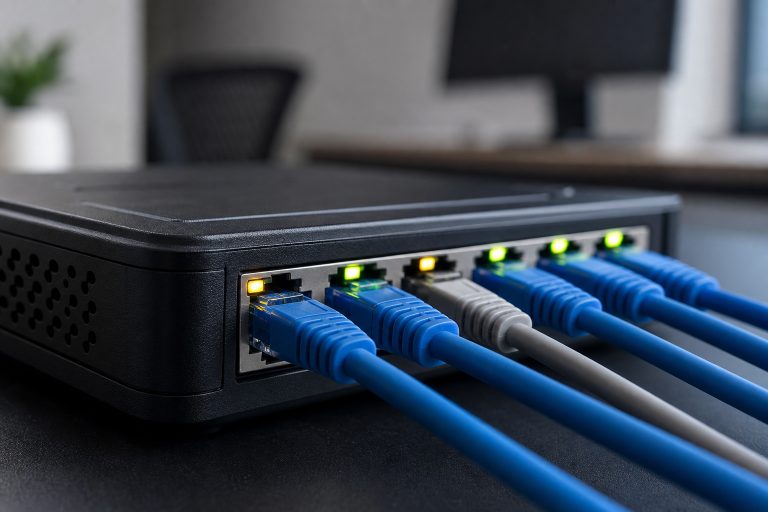
Key Takeaways
- Choose connectivity based on daily operations, not advertised speed alone.
- Compare full costs, including fees, equipment, taxes, and contract terms.
- Verify availability at the exact business address before making a decision.
- Review upload capacity, call quality, security, support, and outage backup options.
- Select a setup that works now while leaving room for growth.
Internet and phone service support nearly every part of a modern small business, from card payments and scheduling to cloud software, customer support, video meetings, and inventory management. Comparing business internet and phone bundles can be a practical starting point when your team needs dependable service without having to manage separate providers. The cheapest advertised option is not always the lowest-cost choice. A slow or unreliable connection can create missed calls, delayed payments, frustrated employees, and lost sales. A better approach is to assess your needs, compare the complete costs, and create a plan for interruptions before signing a contract.
Why Connectivity Planning Matters
A reliable connection is an operating tool, not just an overhead expense. Consider a small retail shop that uses card readers, inventory software, a customer phone line, security cameras, and guest Wi-Fi. If the connection fails during busy hours, staff may be unable to process sales, check stock, or respond to customers. Planning around the real cost of downtime helps put monthly pricing in perspective.
Audit the Current Setup
Before comparing offers, document what the business already uses. Record the number of employees, computers, tablets, phones, cameras, and connected devices. Note peak usage times, cloud applications, average call volume, current monthly charges, past outage lengths, contract end dates, and early cancellation terms. This quick audit prevents paying for unnecessary features while exposing gaps that need attention.
Check Local Availability
Service choices can differ from one building to the next, even within the same ZIP code. Check the exact address for connection types, advertised download and upload speeds, installation timing, equipment requirements, and any business-specific restrictions. The FCC National Broadband Map can help identify reported providers, technologies, and available speeds at a location. For mobile backup, test coverage inside the workspace too, since outdoor coverage maps do not guarantee strong indoor performance.
Match Service to the Workload
Download speed matters, but it is only one part of performance. Upload speed, network delay, stability, and the number of simultaneous devices can be equally important. A solo operator may need reliable email, payment processing, video calls, and mobile access. A small office may need several people using cloud apps and meetings at once. Retail locations often share bandwidth among payments, inventory tools, cameras, and guest Wi-Fi. Creative teams may need stronger upload capacity for large files, backups, and media collaboration.
Compare the Total Cost
Build a simple first-year-versus-full-contract comparison rather than focusing on a promotional monthly rate. Include regular service charges, the date promotional pricing ends, installation and activation fees, equipment rental or purchase costs, taxes, surcharges, extra phone numbers, data charges, and cancellation fees. Also, ask whether the price changes after a contract term. A spreadsheet with each cost listed separately makes it easier to see which offer truly fits the budget.
Review Phone and Calling Options
Businesses may use mobile lines, internet-based calling, desk phones, or a mix of all three. Focus on how employees actually answer and transfer calls. Decide whether the business needs a public number, call menus, routing, voicemail-to-email, texting, reporting, recording, or mobile and desktop calling. Confirm what happens during an internet or power outage, and ensure emergency calling information is accurate whenever the business relocates.
Plan for Outages and Growth
Even a short interruption can disrupt sales and customer service, so create a basic continuity plan. Keep a charged hotspot or backup data device available, ask whether automatic failover is supported, and use a battery backup for essential equipment such as the modem, router, and network switch. Save account numbers and support contacts offline, assign one person to contact the provider, and test the backup process twice a year. Revisit the plan when hiring, adding devices, or opening another location.
Protect the Business Network
Every connected phone, laptop, camera, cloud platform, and guest device increases the need for basic security. Change default router passwords, limit administrator access, install updates promptly, and separate guest Wi-Fi from business systems. Use multi-factor authentication where available and keep important files backed up in multiple locations. Basic security practices for small business owners also emphasize employee training, strong passwords, phishing awareness, and protected networks.
Questions to Ask Before Signing
- What will the full monthly price be after any promotion ends?
- Which charges will appear on the first bill?
- What upload speeds, usage limits, and equipment are included?
- How long is the contract, and what happens if the business moves?
- What support is available outside regular business hours?
- Are service credits available for extended outages?
- Can the setup add users, phone numbers, or locations later?
- How are existing phone numbers transferred or canceled?
Final Checklist
- Business needs and current usage have been documented.
- Exact-address availability has been checked.
- Upload performance, costs, fees, and contract terms are clear.
- Phone features fit the way employees work.
- Security basics and an outage plan are in place.
- The service can support expected growth.
Conclusion
The right connectivity setup should make daily work easier while keeping the business moving when demand rises, equipment fails, or unexpected outages occur. By reviewing cost, coverage, performance, calling needs, security, reliability, and backup options together, businesses can avoid choosing a service based on speed alone. A thoughtful approach also makes it easier to scale the connection as employees, devices, locations, and digital tools increase, creating a stronger foundation for reliable operations and long-term growth.
The post The Small Business Connectivity Checklist: Cost, Coverage, and Continuity appeared first on Entrepreneurship Life.