Pocket Option Broker for PC: Trading Charts on a Bigger Screen
 Tomas Kauer - Senior News Editor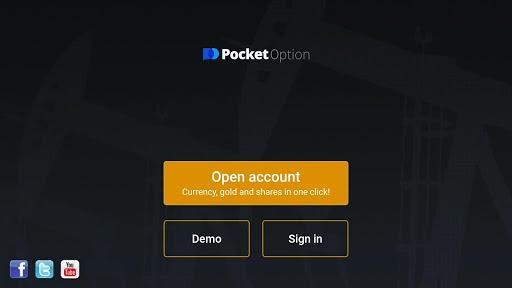
Most people who run their own business end up thinking about markets at some point. Cash flow is lumpy, one client can vanish in a week, and the idea of a second income stream that doesn’t depend on invoicing anyone starts to look appealing. That curiosity usually begins on a phone, in the gaps between meetings.
The problem is that a phone is a terrible place to study a chart. You pinch, you zoom, you lose the trend line, and you make a decision faster than you meant to because the screen only shows you forty minutes of price action.
Pocket Option Broker is one of the apps that people in this situation download. It’s a Finance category app published under the name ITTrendex, LLC, and it markets itself as the fastest growing broker of 2017-2019. The mobile version is free and gives access to trading on stock and commodity markets from a tablet or phone, which is convenient right up until the moment you want to look at something properly.
More than 150 assets, the usual retail spread
The platform advertises more than 150 assets. For someone treating trading as a side interest rather than a career, that number matters less than what’s in it: currency pairs, commodities, stocks and indices, the standard spread you’d expect from a retail broker.
The pitch around execution is stable connectivity around the clock, seven days a week, with quotes drawn from liquidity providers and no requotes or delays. That last part is the sort of claim every broker makes, and the honest response is that you find out whether it holds by using a demo balance first, not by reading the store listing.
What’s more useful for a newcomer is the supporting material bundled in. The app includes training resources, daily analysis, trading signals, built-in indicators and prepackaged trading strategies. None of that replaces understanding what you’re doing, but it does mean you aren’t staring at a blank candlestick chart wondering which indicator does what.
Pocket Option on a full-size screen
Here is where the screen size argument becomes practical rather than aesthetic. Stacking three or four built-in indicators on a chart, which the app supports, is close to unreadable on a 6-inch display. On a monitor you can see the indicator panels, the price action and the asset list at the same time.
There’s no official Windows build of the mobile app, so running it on a desktop means using an Android emulator, which creates a virtual Android environment inside Windows and runs the APK as if it were on a tablet. Because chart drawing and indicator overlays are the whole point here, the two settings worth adjusting are the emulator’s screen resolution (set it to something tablet-sized or larger so the chart panel expands rather than squeezing) and the graphics rendering mode, since chart redraws during volatile periods can stutter on default software rendering. The full setup walkthrough, including which resolution and rendering settings to pick, is laid out at download Pocket Option for PC.
One habit worth adopting: keep the emulator window on a second monitor if you have one, with your real work on the primary display. It sounds trivial. It’s the difference between glancing at a position and getting pulled into watching it tick for an hour.
Why founders keep finding this app
The reason this app keeps showing up on business blogs is not that trading is a business. It’s that the two overlap in temperament, and that overlap cuts both ways.
Things that transfer well from running a company:
- Position sizing is the same discipline as not putting 80 percent of revenue with one client
- Recording why you entered a trade is the same as keeping decision notes on a hire
- Reviewing results weekly beats checking them hourly, in both domains
- Treating the first months as tuition, not profit, is a familiar founder mindset
Things that don’t transfer: the belief that effort correlates with outcome. In a business, working harder usually moves something. In a market, working harder can just mean more trades, and more trades on a short-term instrument means more exposure to being wrong in a hurry.
Run the demo before funding it
The app provides a practice balance, and there’s no reason to skip it. Run the built-in strategies against the demo account for a few weeks on the desktop setup, where you can annotate charts properly, before any real capital is involved.
Use that period to check the boring things: how quickly the app loads on your machine, whether the quote feed behaves during high-volatility news windows, how the deposit and withdrawal flow is documented. Boring checks are where brokers reveal themselves.
Signals and daily analysis, used correctly
The daily analysis and signals feature is the part most likely to be misused. Signals are somebody else’s read on the market, delivered without the context that produced it, and treating them as instructions is how new traders lose interest and money at the same time.
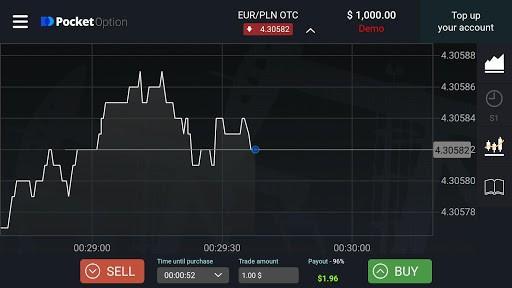
Used differently, they’re fine. Read the signal, then open the chart yourself and try to work out what the analyst saw. If you can’t reconstruct the logic, skip the trade. That exercise on a full-size screen, with indicators visible, teaches more in a month than a year of tapping trade buttons on a commute.
The training materials fill a similar role. They’re introductory by nature, and they’ll get you fluent in the vocabulary, which is enough to start reading better sources elsewhere.
The odds don’t change
Short-term trading on retail platforms has a well-documented loss rate among new participants. Nothing in a 150-asset lineup, an indicator suite or a signals feed changes that arithmetic. Capital allocated here should be capital the business does not need.
Which brings it back to the pinch-and-zoom problem from the start. Fixing the screen doesn’t make anyone a better trader. It just removes one bad reason for a bad decision, and lets the chart show you the forty hours instead of the forty minutes.
The post Pocket Option Broker for PC: Trading Charts on a Bigger Screen appeared first on Entrepreneurship Life.